en-US
en-US 

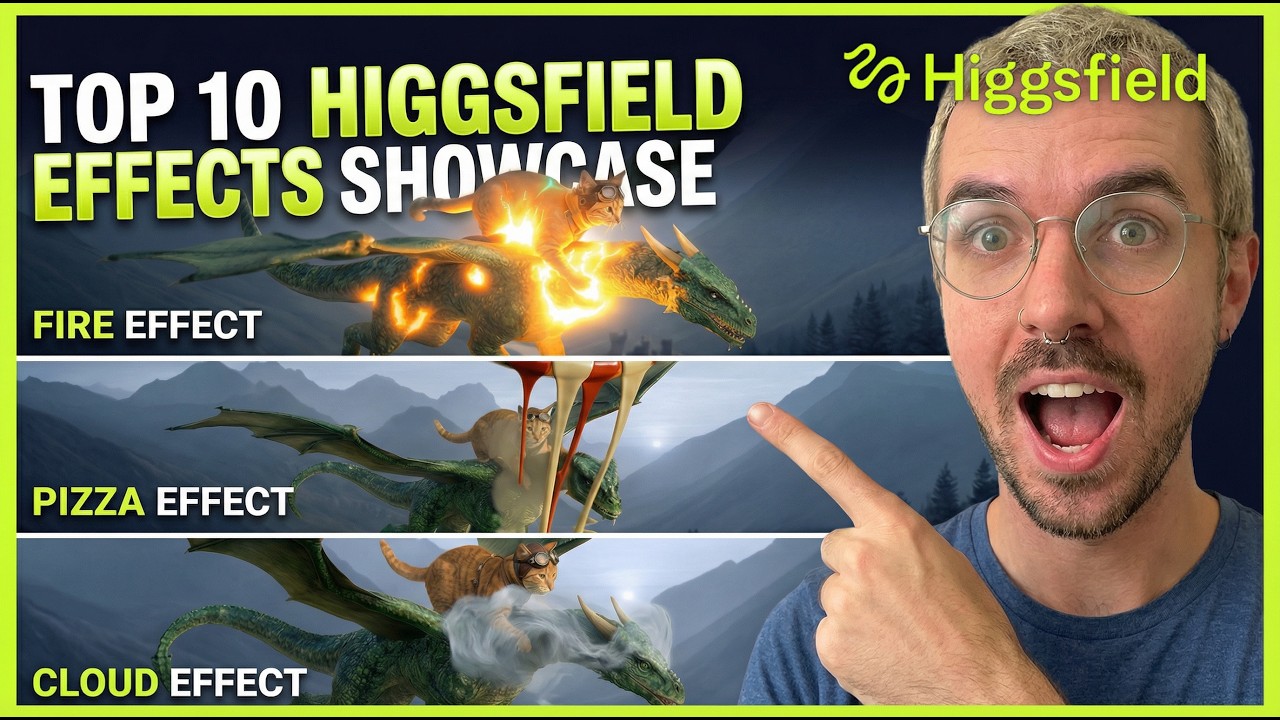
The landscape of AI video generation is evolving at a breakneck pace, and Higgsfield AI is making a significant splash. As creators, we are constantly looking for ways to breathe life into static assets, and this tool offers a unique library of pre-set effects that go far beyond simple motion.
In this guide, we’ll explore how you can take a single base image—in our case, a cat riding a dragon—and transform it into ten different viral-ready video clips. Whether you are looking for cinematic transitions or surreal visual distortions, Higgsfield AI provides a streamlined workflow for high-impact content.
Top Animation Styles Tested
The Epic Zoom and Expansion
One of the most impressive features in the Higgsfield library is the ability to create infinite-style zooms. By selecting the "Earth Zoom Out" or "Cosmic Zoom" effects, the AI intelligently fills in the surrounding environment of your original image.
- Scalability: It starts with your subject and expands into a massive landscape.
- Seamlessness: The AI generates consistent textures that match the lighting of your source image.
- Engagement: These clips are perfect for intros because they immediately capture the viewer's attention.
Environmental Manipulations
Higgsfield doesn't just move the camera; it can change the physics of the scene. Effects like "Air Bending" or "Tornado" allow you to swirl elements of the image around 3D space, creating a sense of power and motion that feels grounded in the original artwork's style.
High-Speed Motion and Sprints
If you have a subject that looks like it should be moving, the "Fast Sprint" effect is a game-changer. It applies motion blur and perspective shifts to simulate extreme velocity. This is particularly effective for character-based images or creatures.
- Speed Simulation: Adds realistic directional blur to the background.
- Character Focus: Keeps the main subject centered while the environment rushes past.
- Dynamic Energy: Best used for action-oriented social media posts.
Surreal and Abstract Transitions
For those looking to create "brain rot" content or psychedelic visuals, Higgsfield offers effects like "Melt Transition" or the bizarre "Pizza Fall." These effects literally transform the pixels of your image into different objects or liquid states, resulting in highly shareable, weird-and-wonderful loops.
How to Get Started with Higgsfield AI
- Upload Your Base Image: Start with a high-quality, clear image. The more detail in the subject, the better the AI can animate it.
- Select Your Effect: Browse the library of specialized animations. Each one is designed for a specific "vibe" or motion path.
- Adjust Settings: Fine-tune the intensity and duration of the animation to fit your specific needs.
- Generate and Export: Processing usually takes under a minute, giving you a high-definition clip ready for social platforms.
Creative Tips for Better Results
To get the most out of Higgsfield, consider the composition of your initial image. Centralized subjects tend to work best for zoom effects, while images with clear horizons are ideal for lateral motion animations.
- Prompting: Use descriptive text to help the AI understand the context of the animation.
- Batching: Try running 3-4 different effects on the same image to see which one "hits" the hardest for your audience.
- Consistency: Maintain a similar art style across your base images to build a recognizable brand aesthetic.
Conclusion
Higgsfield AI represents a shift toward more accessible, creative video manipulation. By moving away from complex manual keyframing and toward intelligent, effect-based generation, it allows creators to focus on the concept rather than the technical grind. If you are a digital artist or a social media manager, adding this tool to your stack can significantly increase your output without sacrificing quality.